
TOOLING
InvokeIQ: the free cold email sequencer to start with before you pay for one
InvokeIQPARTNER
Most people pay for a sequencer before they have sent a single campaign. The first month teaches you what you need from one, and it can be done without paying.
The usual order for someone starting cold email is: pick a sequencer from a listicle, pay for the plan the listicle recommends, then find out in the first month that the problem was never the software. The domains were not warmed, the list was not verified, or the copy did not land. The subscription renewed anyway.
There is a better order. Set up the infrastructure properly, run your first campaigns on a sequencer that costs nothing, and pay only once you have a reason to: more volume, more inboxes or more clients than the free plan carries. For that first stage, InvokeIQ is the one we point people to.
A disclosure before the detail: we have a link partnership with InvokeIQ. We earn nothing when you sign up, and we have not run a campaign of our own through it, so nothing below is a placement or reply figure. It is a reading of what the plans include, set against what a beginner actually needs.
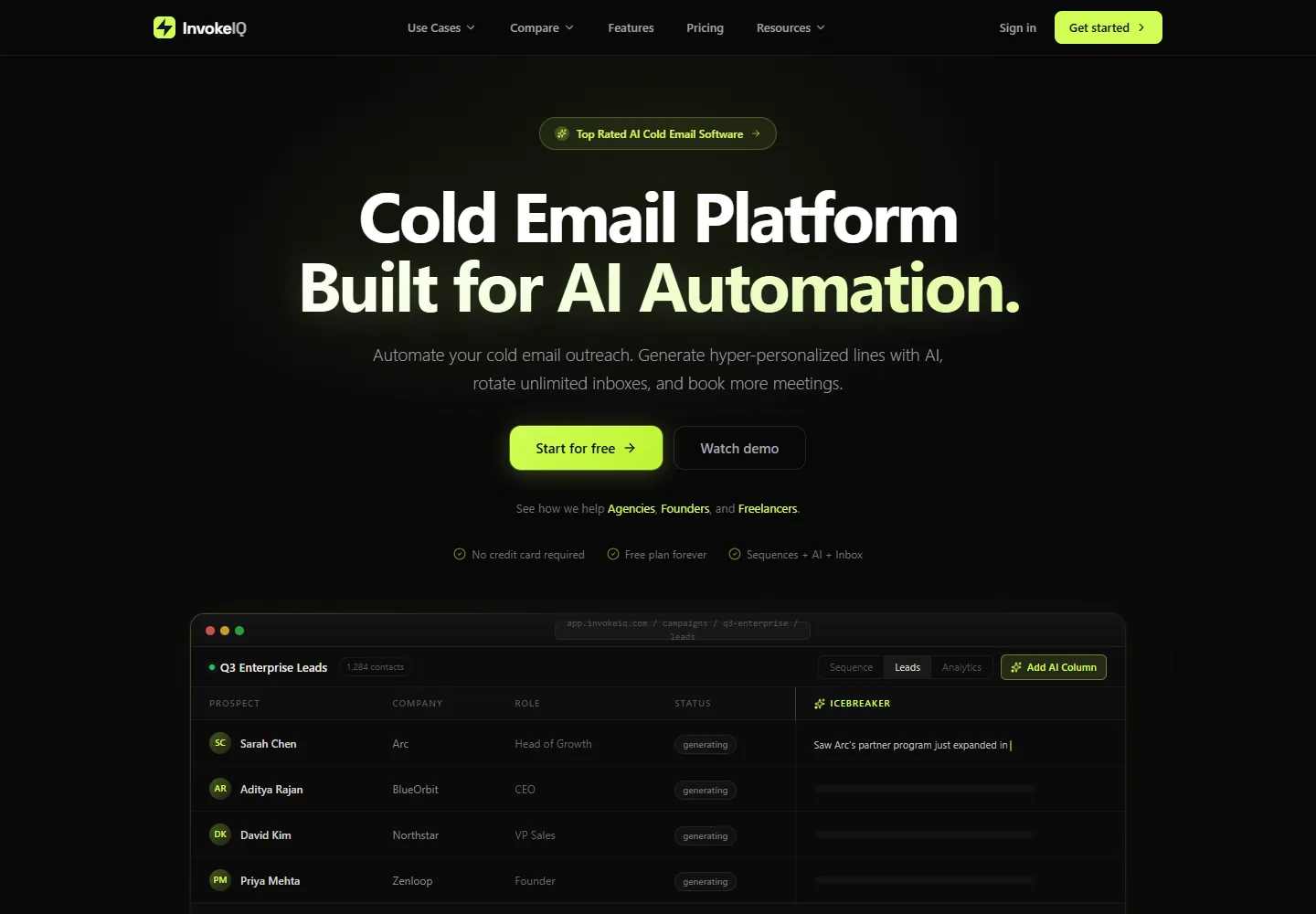
Why a beginner should not pay for a sequencer yet
A sequencer schedules mail, sends follow-ups, stops on reply and reports. It does not decide whether that mail reaches the inbox; the domain and the mailbox do. Cold email software explained covers that split in full, and it is the reason the first month is the wrong time to spend on software.
Your first month is spent on things no sequencer can buy you: domains ageing, 14 days of warm-up, a list you trust, and copy you have tested on real people. While that is happening, the features that separate a $39 plan from a $99 one sit unused. Pay when the free plan is the thing stopping you, not before.
What a free plan has to include to be worth using
Plenty of free tiers exist to show you the dashboard. For one to carry real campaigns it needs five things, and missing any one of them pushes you onto a paid plan in week one.
- More than one sending inbox, because volume has to be spread thin from the start.
- Warm-up included, since every new inbox needs 14 days of it before a campaign.
- Multi-step sequences that stop when someone replies.
- Support for Google Workspace, Microsoft 365 and plain SMTP, so it works with whatever inboxes you buy.
- No expiry date, so a slow first month does not end in a forced upgrade.
What InvokeIQ gives you for free
InvokeIQ’s free plan meets all five. These are the published limits at the time of writing, October 2026.
| Free plan | Limit |
|---|---|
| Emails per month | 500 |
| Sending inboxes | 3 |
| Contacts stored | 2,000 |
| Campaigns | Unlimited |
| Warm-up | Included |
| Inbox types | Google Workspace, Microsoft 365, SMTP/IMAP |
| AI credits | 100, once |
| Card required | No |
| Expiry | None |
Most of the established sequencers start with a time-limited trial instead. A trial is fine for clicking around; it is the wrong shape for someone whose first campaign cannot start until warm-up has run for two weeks, because half the trial is gone before the first real send.
The rest of the product is what you would expect from a paid tool: a unified inbox that gathers replies from every sending account and tags them by sentiment, inbox rotation across mailboxes and domains, analytics per campaign, and AI columns that write a personalized line from a prospect’s website or profile. The AI is metered by credits, so the 100 free ones are enough to try it, not to run a list through it.
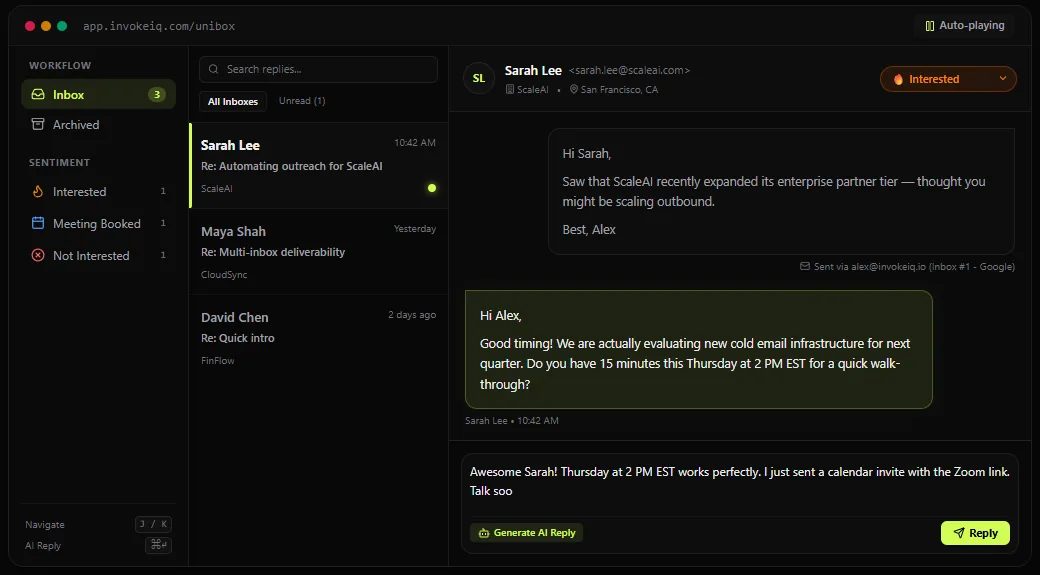
How far 500 emails a month goes
Further than it sounds for a first campaign, and less far than it sounds for a business. A three-step sequence uses three sends per prospect, so 500 a month reaches about 165 new people. That is enough to test a list and an offer properly, which is what the first month is for.
It also lines up with sensible per-inbox volume. Three free inboxes on Microsoft 365, sending 3 a day each, is 9 a day, about 200 over a month of working days, comfortably inside the cap. Three Google inboxes at 15 campaign sends a day can do 45 a day, so they would reach 500 in under two weeks. On Google, the free plan rather than the inbox becomes the limit first.
| Setup | Daily sends | Month (about 22 working days) | Fits the free plan? |
|---|---|---|---|
| 3 Microsoft 365 inboxes at 3 a day | 9 | About 200 | Yes |
| 3 Google inboxes at 15 a day | 45 | About 990 | For about 11 working days |
| 100 Microsoft 365 inboxes at 3 a day | 300 | About 6,600 | No, needs a paid plan |
Three Google inboxes is also exactly one domain’s worth on our Google product, the cap we set per domain, at $3 per inbox per month. How many Google inboxes per domain explains why we stop at three.
When to pay, and what for
Upgrade when the free plan is the bottleneck: you have a list and copy that work, and 500 sends or 3 inboxes is what is holding you back. InvokeIQ prices by usage rather than per seat, and every paid plan includes unlimited inboxes, which matters once you move from 3 inboxes to a batch of 100.
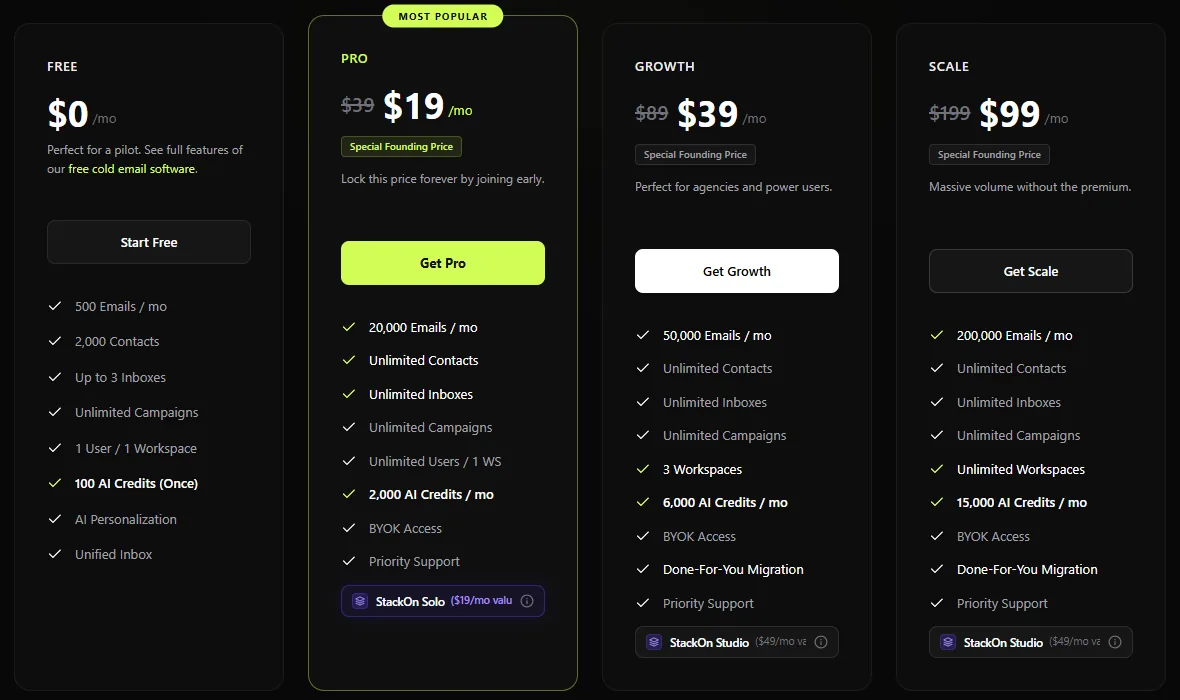
| Plan | Founding price | Regular price | Emails per month | Workspaces |
|---|---|---|---|---|
| Free | $0 | $0 | 500 | 1 |
| Pro | $19 / month | $39 / month | 20,000 | 1 |
| Growth | $39 / month | $89 / month | 50,000 | 3 |
| Scale | $99 / month | $199 / month | 200,000 | Unlimited |
The founding prices are a launch offer and will not last, so check the current figure on InvokeIQ’s pricing page before you plan around it. All plans are month to month with no annual lock-in.
Pro is the natural next step for one sender. 20,000 emails a month covers one Microsoft 365 domain of 100 inboxes at 3 a day with room to spare, since that domain sends about 6,600 a month.
Starting as an agency
The same logic applies to a new agency, with one more reason to start free: your first client is usually a test of your process as much as of their offer. Run that client on the free plan, prove the result, and upgrade when the second client signs.
The paid plans are built for that second client onward. Each client gets a separate workspace so one client never sees another’s campaigns, replies from every client land in one unified inbox filterable by client and campaign, and clients can be given read-only dashboards instead of a login. Growth carries 3 workspaces, Scale is unlimited, and Enterprise adds white-label. The cold email agency guide covers the rest of the agency setup, including why each client should sit on its own domains.
What the sequencer will not fix
A free sequencer removes the cost of starting. It does not remove the work. Whichever tool you use, these decide whether the mail lands:
- Sending from secondary domains, never your company’s main one.
- SPF, DKIM and DMARC set up and verified before the first send. The DNS records checker checks all three for free.
- At least 14 days of warm-up before any campaign mail.
- Per-inbox volume kept low: 3 a day on Microsoft 365, 15 on Google.
- A verified list, so bounces stay low from the first send.
That list is the infrastructure layer, and it is what we provision: 100 Microsoft 365 inboxes on one domain for $30 a month, or Google inboxes at $3 each, up to 3 on a domain, authenticated and live in 24 to 48 hours. Connect them to InvokeIQ, let warm-up run, and the first month costs you the inboxes and nothing else. How to start cold emailing walks through the whole first month in order.
Frequently asked questions
Is there a free cold email sequencer?
Yes. InvokeIQ has a free plan with no expiry and no card required: 500 emails a month from up to 3 sending inboxes, 2,000 stored contacts, unlimited campaigns and warm-up included. It connects Google Workspace, Microsoft 365 and SMTP inboxes.
Should a beginner pay for cold email software?
Not in the first month. That month goes on ageing domains, 14 days of warm-up, building a list and testing copy, none of which a paid plan speeds up. Start on a free plan and upgrade when its sending or inbox limit is what holds you back.
How many prospects can I reach with 500 emails a month?
About 165 with a three-step sequence, since each prospect receives up to three emails. That is enough to test a list and an offer before paying for more volume.
Is a free sequencer good enough for an agency?
For the first client, yes: it proves your process before you pay. From the second client, a plan with separate client workspaces is worth paying for. InvokeIQ Growth includes 3 workspaces, a unified inbox filterable by client, and read-only client dashboards.
Does the sequencer affect deliverability?
Very little. Placement is decided by the sending domain and mailbox: authentication, warm-up, history and volume. A free sequencer sending from well set up inboxes will land as well as a paid one sending from the same inboxes.
Infrastructure without the setup
100 Microsoft 365 inboxes on one domain for $30, with SPF, DKIM and DMARC configured and verified before handover. Live in 24 to 48 hours.
Get inboxes